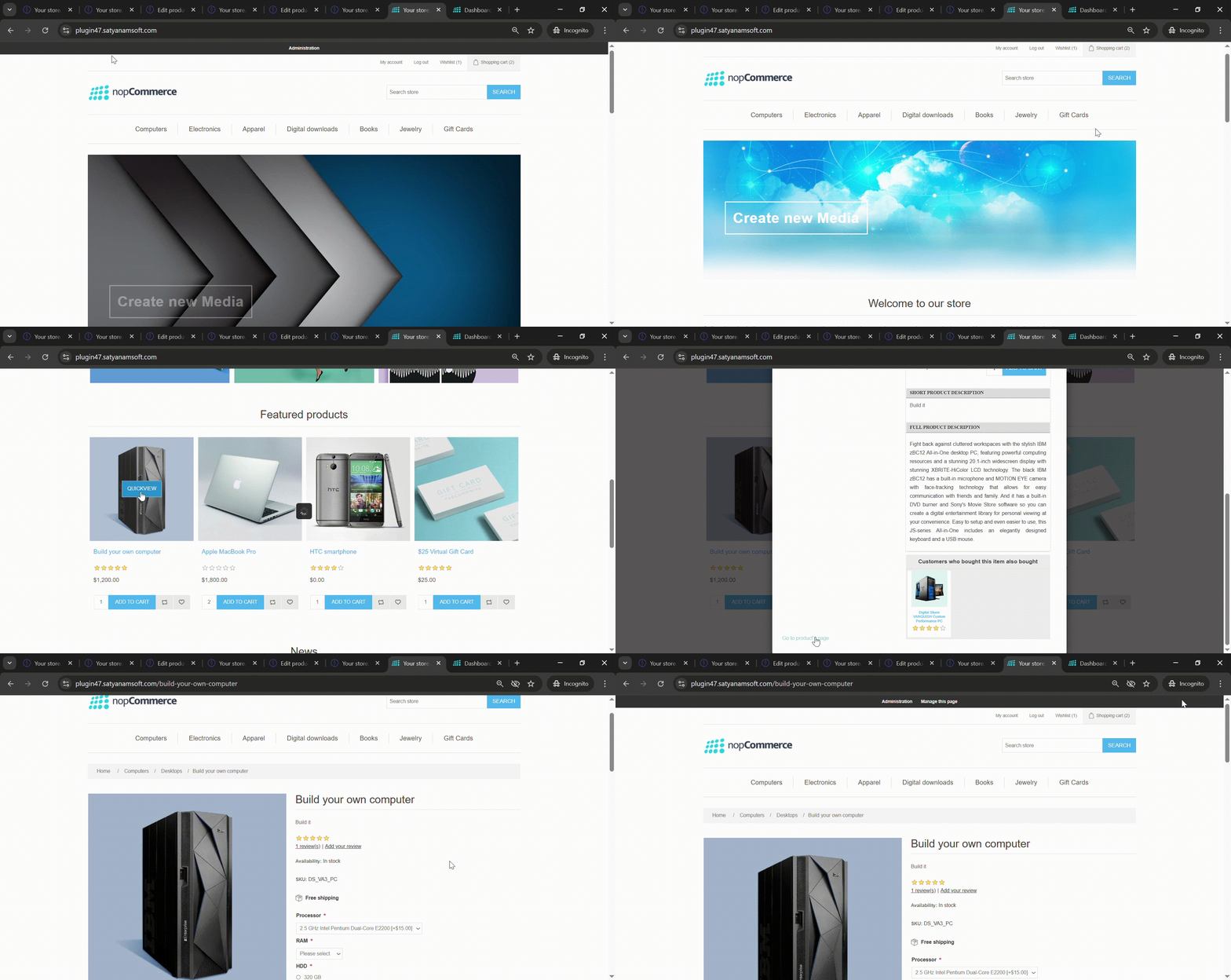
Quick View

Enhance your customers' shopping experience by allowing them to view product details instantly without leaving the category page. The Quick View Plugin displays a sleek popup with complete product information, images, and purchase options – making browsing faster and more interactive.
 

How to Set Up the Quick View Plugin for nopCommerce
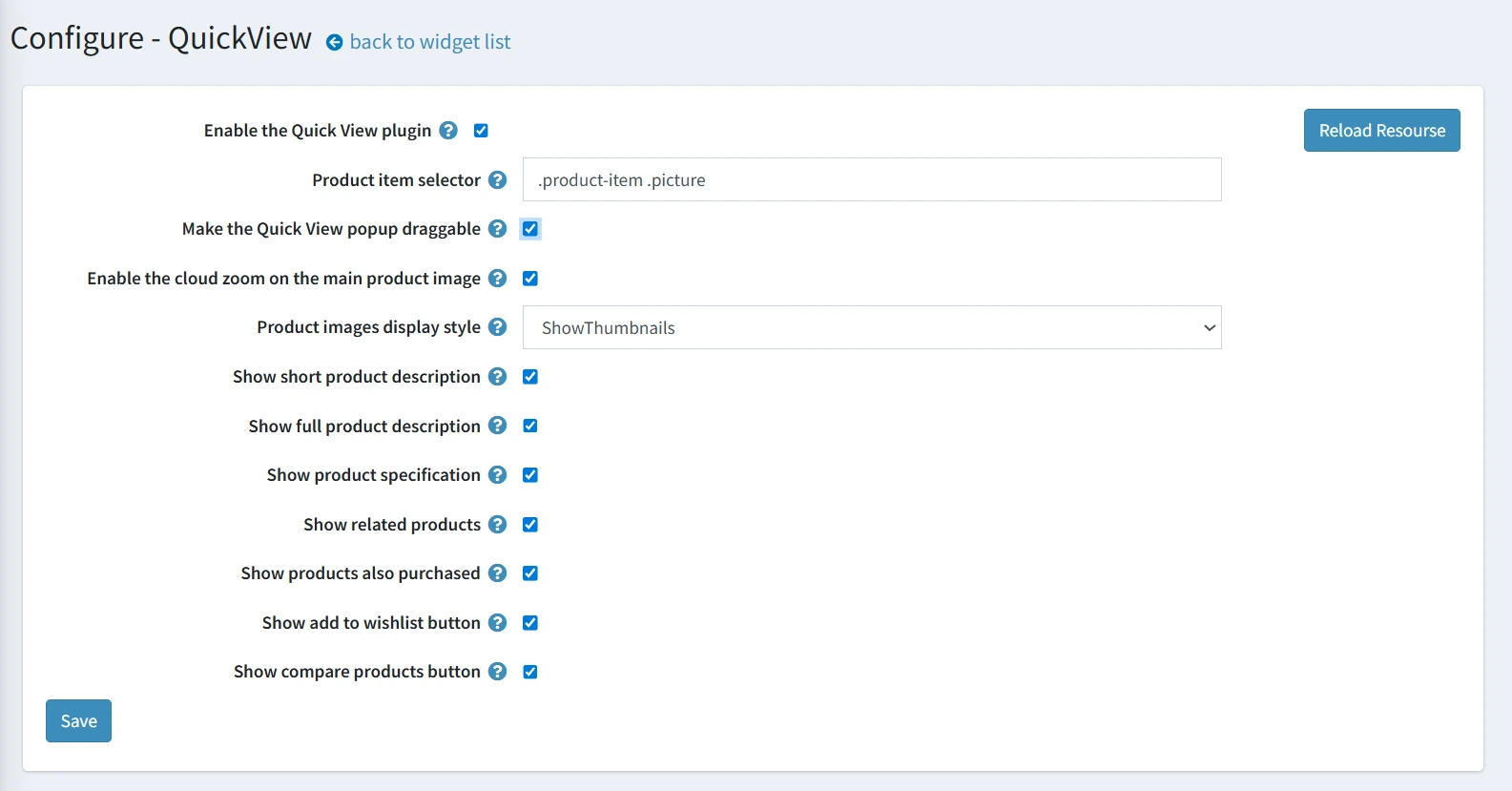
1. Set the product item selector: This tells the plugin which product element triggers the Quick View popup when clicked.
2. Make the popup draggable: Enable Make the Quick View popup draggable so users can move the popup window anywhere on the screen for better visibility.
3. Enable cloud zoom on images: Turn on Enable the cloud zoom on the main product image to allow customers to zoom in on product images inside the popup.
4. Boost cross-selling: Check Show related products and Show products also purchased to increase upsell opportunities directly in the popup.
5. Enable wishlist & compare buttons: Activate Show add to wishlist button and Show compare products button so customers can quickly save or compare products.

FAQ plugin main configuration
 

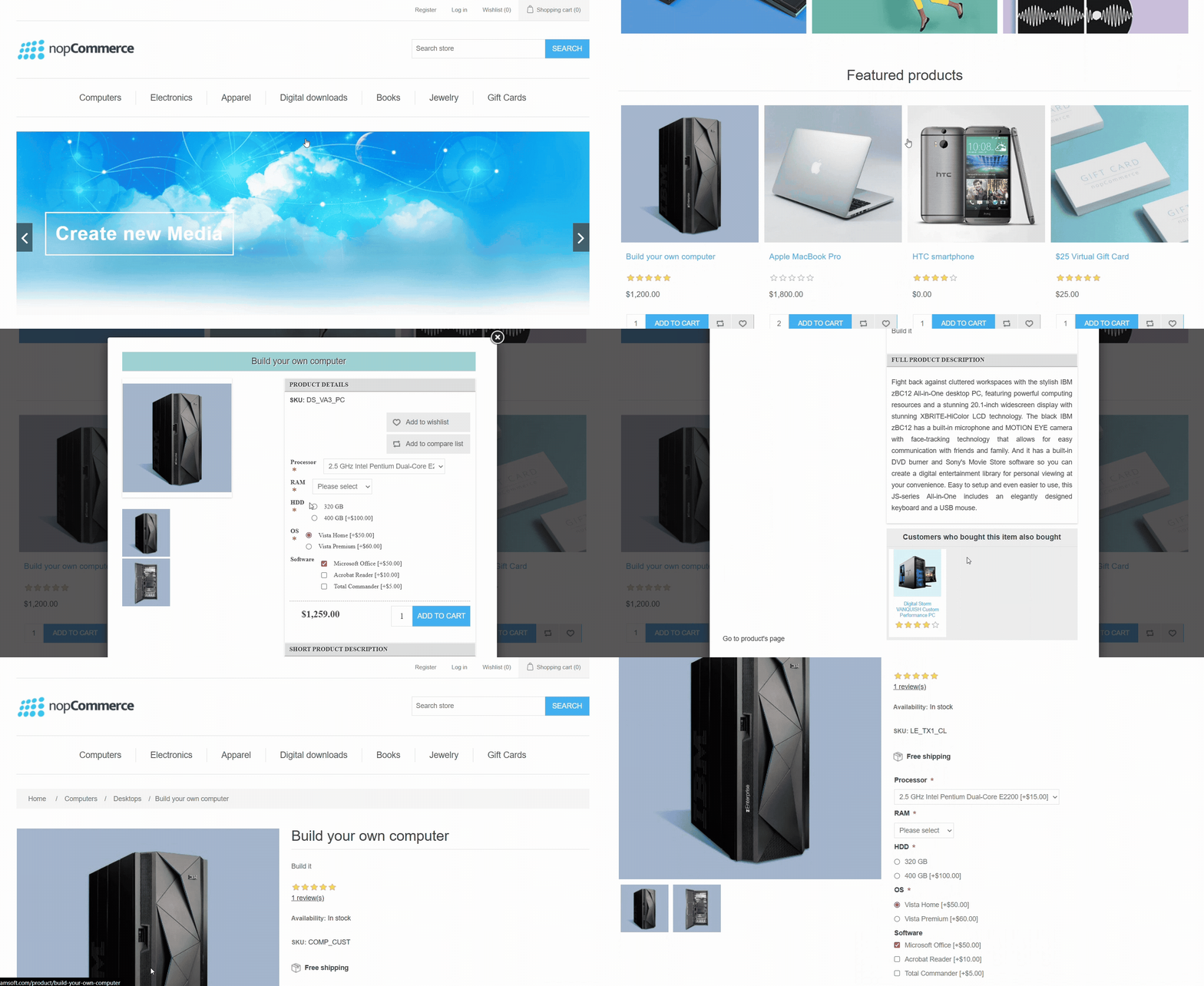
How the QuickView Popup Works on the Frontend
Instant product access: Customers can click on any product image or icon in the category page to open a QuickView popup without leaving the page.
Clean & user-friendly popup: The popup appears centered and overlays the current page, keeping the customer in the same browsing flow.
Interactive product details: Inside the popup, users can view zoomable product images, browse thumbnails, and quickly read both short and full descriptions with specifications.
Quick actions: Customers can add to cart, wishlist, or compare products directly from the popup without leaving the page.


Why Choose Our Quick View Plugin?

1. Faster Shopping Experience: Reduce the number of clicks and page reloads, making navigation seamless.
2. Increase Conversions: Quick access to product details encourages more purchases.
3. Improved UX/UI: Provides a modern, interactive shopping experience customers love.
3. Boost Engagement: Highlight related products and recommendations right inside the popup.
5. Easy Configuration: Flexible settings to control descriptions, thumbnails, and action buttons.

Product specifications

  • Supported versions 3.50 - 4.80
  • Responsive Design
  • Multi-Store/ Multi-Vendor Support
  • Free Trial
  • Themeable
  • Razor files are open to modifications
  • 1 year of free support and upgrades since purchase date
  • Easy to install and manage from the nopCommerce Admin panel

Reviews

Product review is already added for this product

Have any questions or need help?