Add To Cart

Enhance your shopping experience with our "Quick Add to Cart Popup" Plugin – an intuitive, user-friendly solution that allows customers to configure and add products directly from the category page without visiting the product detail page.


FAQ Plugin Main Configuration

How to Set Up the Add to Cart plugin for nopCommerce

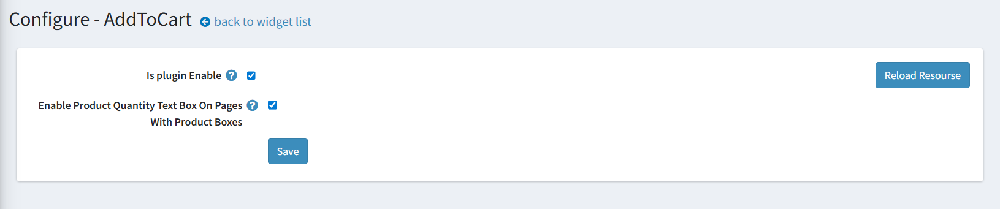
Check the "Is plugin Enable" box
👉 This will activate the popup feature on category/product box pages.
👉 Enable product quantity text box: This shows a quantity field next to the Add to Cart button, so users can choose how many they want before adding.
👉 Reload resources (If needed): Useful if you've updated language resources or plugin files.


How It work on the fronted side
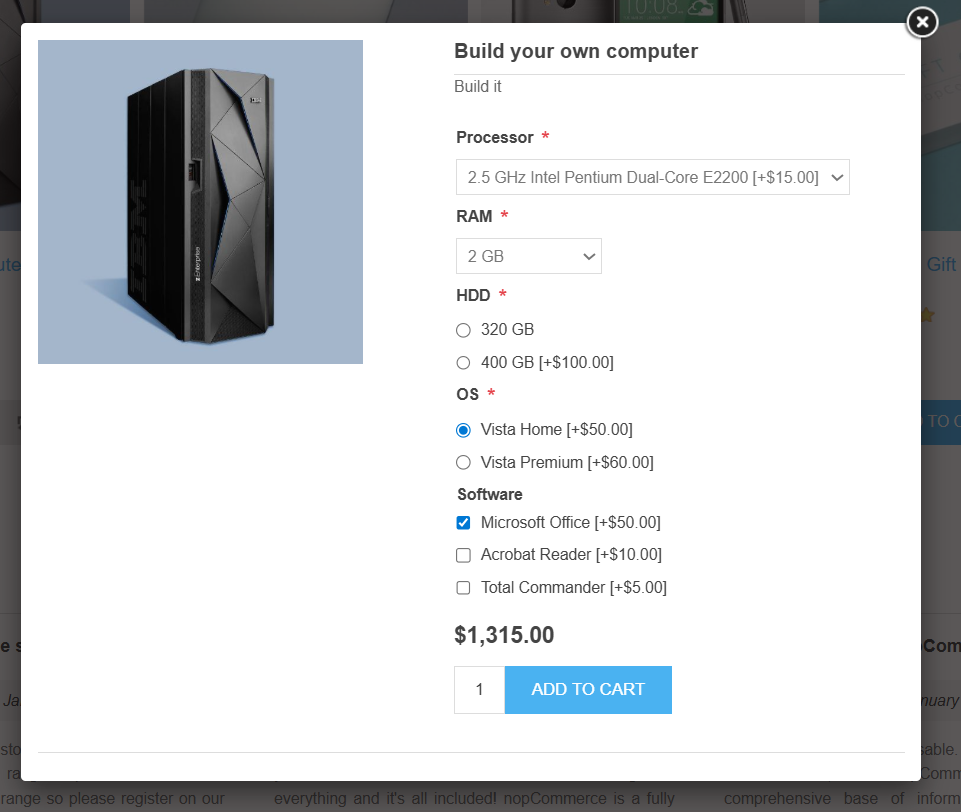
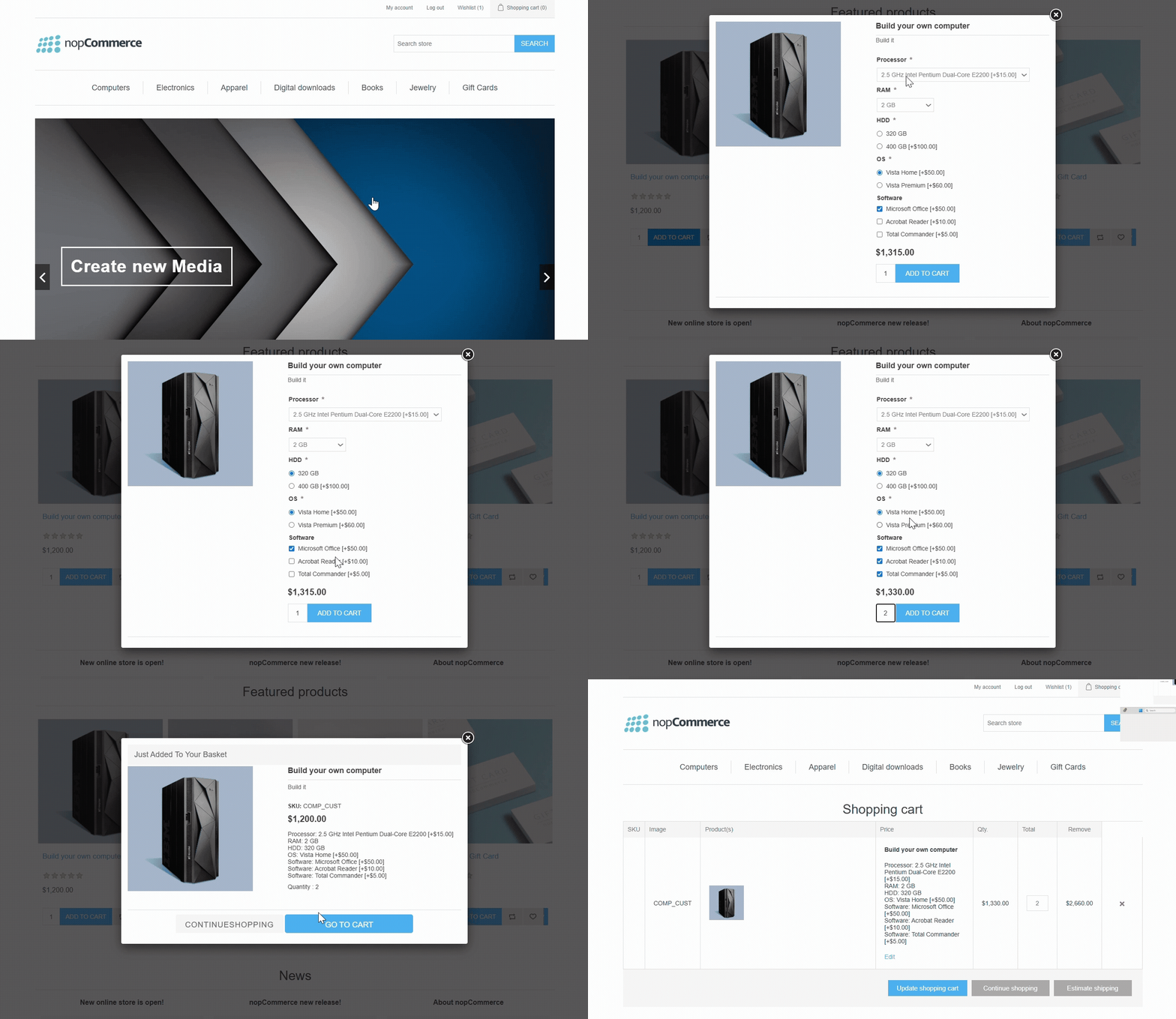
👉 Product image preview: The popup displays a large image of the selected product for quick reference.
👉 Configure product options inline: All product attributes (e.g. Processor, RAM, HDD, OS, Software) appear in selectable dropdowns, radio buttons, or checkboxes — exactly like on the full product page.
👉 Real-Time price calculation: As customers choose different configurations, the total price updates automatically in real time.
👉 Quantity field: Customers can choose how many units they want before adding it to the cart.
👉 Add to cart directly: After selecting all options, users simply hit the “Add to Cart” button in the popup — no page reload or redirection needed.

Slider Frontend Example
 

Why Choose Add to cart Plugin?

👉 Reduce bounce rate: Let users customize and add products quickly without navigating away from their current page.
👉 Boost conversions: The simplified buying process encourages faster decisions and increases order completion rates.
👉 Improve UX: Provide a modern and efficient shopping experience by reducing clicks and loading time.
👉 Perfect for configurable products: Ideal for products with multiple attributes like PCs, custom kits, or bundles.

Product specifications

  • Supported versions 3.50 - 4.80
  • Responsive Design
  • Multi-Store/ Multi-Vendor Support
  • Free Trial
  • Themeable
  • Razor files are open to modifications
  • 1 year of free support and upgrades since purchase date
  • Easy to install and manage from the nopCommerce Admin panel

Reviews

Write your own review
  • Only registered users can write reviews
  • Bad
  • Excellent

Have any questions or need help?